Vault & Secret Management
The Vault section allows administrators to configure how Identity Broker securely stores and manages sensitive information such as client secrets, tokens, and credentials.
All secrets handled by the broker are encrypted at rest and accessed only when required during authentication flows.
Vault Configuration Overview
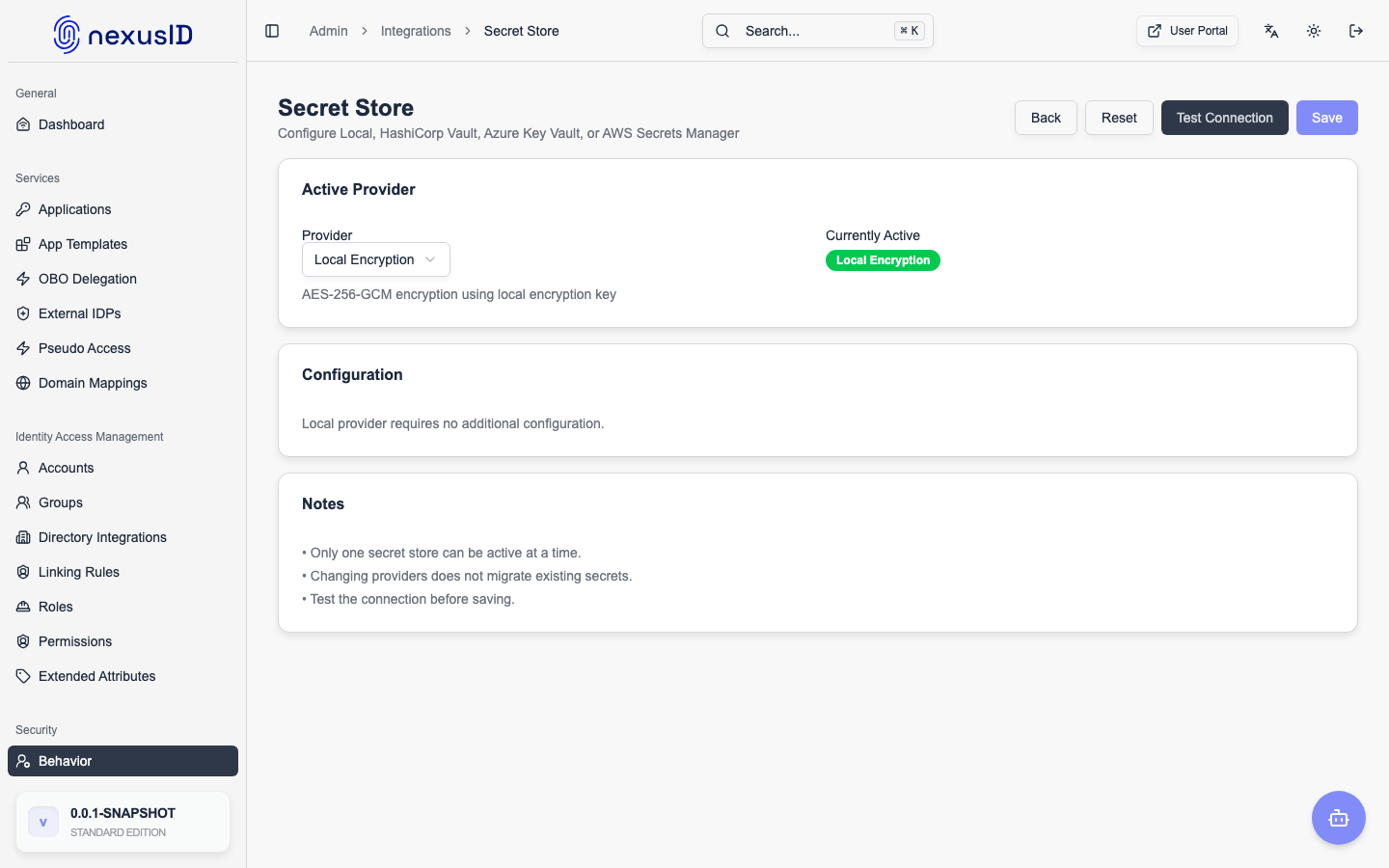
The Vault Configuration screen shows the currently active secret provider and allows switching between supported secret management backends.
Current Active Provider
This section displays the active vault provider currently used by the system.
Local Encryption (Default)
When Local Encryption is enabled:
- Secrets are encrypted using AES-256-GCM
- Encryption is performed using a locally configured encryption key
- No external dependency is required
This mode is ideal for:
- Single-node deployments
- VM-based setups
- Development and small production environments
Vault Provider Options
Identity Broker supports multiple vault providers depending on your deployment and security requirements.
Supported Providers
- Local Encryption
- Azure Key Vault
- AWS Secrets Manager
- HashiCorp Vault
Each provider ensures:
- Secure storage of secrets
- Encryption at rest
- Controlled access through the broker only
Provider Selection
The Vault Provider dropdown allows administrators to select the desired backend.
Once selected:
- Provider-specific configuration fields are displayed
- The system validates connectivity before saving
Test Connection
The Test Connection button verifies:
- Vault availability
- Authentication and permissions
- Encryption and decryption capability
This ensures the broker can securely access secrets before activation.
Save Configuration
After successful validation:
- Click Save Configuration to activate the selected provider
- Changes take effect immediately
- No service restart is required
Home Realm Discovery (HRD) Settings
The Vault screen also contains Home Realm Discovery (HRD) settings related to identity routing.
Enable Domain Hint
When enabled:
- Identity Broker sends the
domain_hintparameter to upstream identity providers - This improves routing accuracy for multi-tenant providers (e.g., Microsoft Entra ID)
- Users are automatically redirected to the correct tenant
This feature is essential for:
- Multi-tenant SaaS platforms
- Enterprise customer isolation
- Seamless user login experiences
Security Best Practices
- Use managed vault services (Azure/AWS/Vault) for regulated environments
- Rotate encryption keys periodically
- Limit vault access using least-privilege policies
- Do not store secrets in plain text
- Avoid hardcoding credentials in configuration files
Related Sections
- RP Clients – OAuth2/OIDC client secrets
- Federated Identity Providers – Upstream IdP credentials
- Audit Logs – Secret access visibility
- Deployment Options – Vault configuration examples
The Vault subsystem is a core security pillar of Identity Broker, ensuring secrets remain protected across all authentication and federation workflows.