HRIS Integration
nexusID connects to your HR system of record (HRIS) and uses it to drive the full joiner / mover / leaver (JML) lifecycle — new hires are provisioned, role and department changes re-evaluate access, and terminations deprovision, all automatically and with a tamper-evident audit trail. The HRIS is the authoritative source for who works here; nexusID keeps every downstream system (Active Directory, Entra, SCIM apps) in step with it.
This page is the starting point: how to connect an HRIS, what happens after, and links to the per-system setup guides.
Supported systems
| System | How it authenticates | Setup guide |
|---|---|---|
| ADP Workforce Now | OAuth 2.0 | ADP HR Source |
| BambooHR | API key | BambooHR HR Source |
| Gusto | OAuth 2.0 | Gusto HR Source |
| Paycom | API credentials | Paycom HR Source |
| Rippling | API token | Rippling HR Source |
| Workday | RaaS / API | Workday HR Source |
| DataSheet (in-product) | — (governed spreadsheet) | DataSheets |
Not on the list? nexusID also accepts inbound SCIM 2.0 provisioning and can use a governed in-product DataSheet as an HR source — so you're never blocked waiting for a connector.
How to connect an HRIS
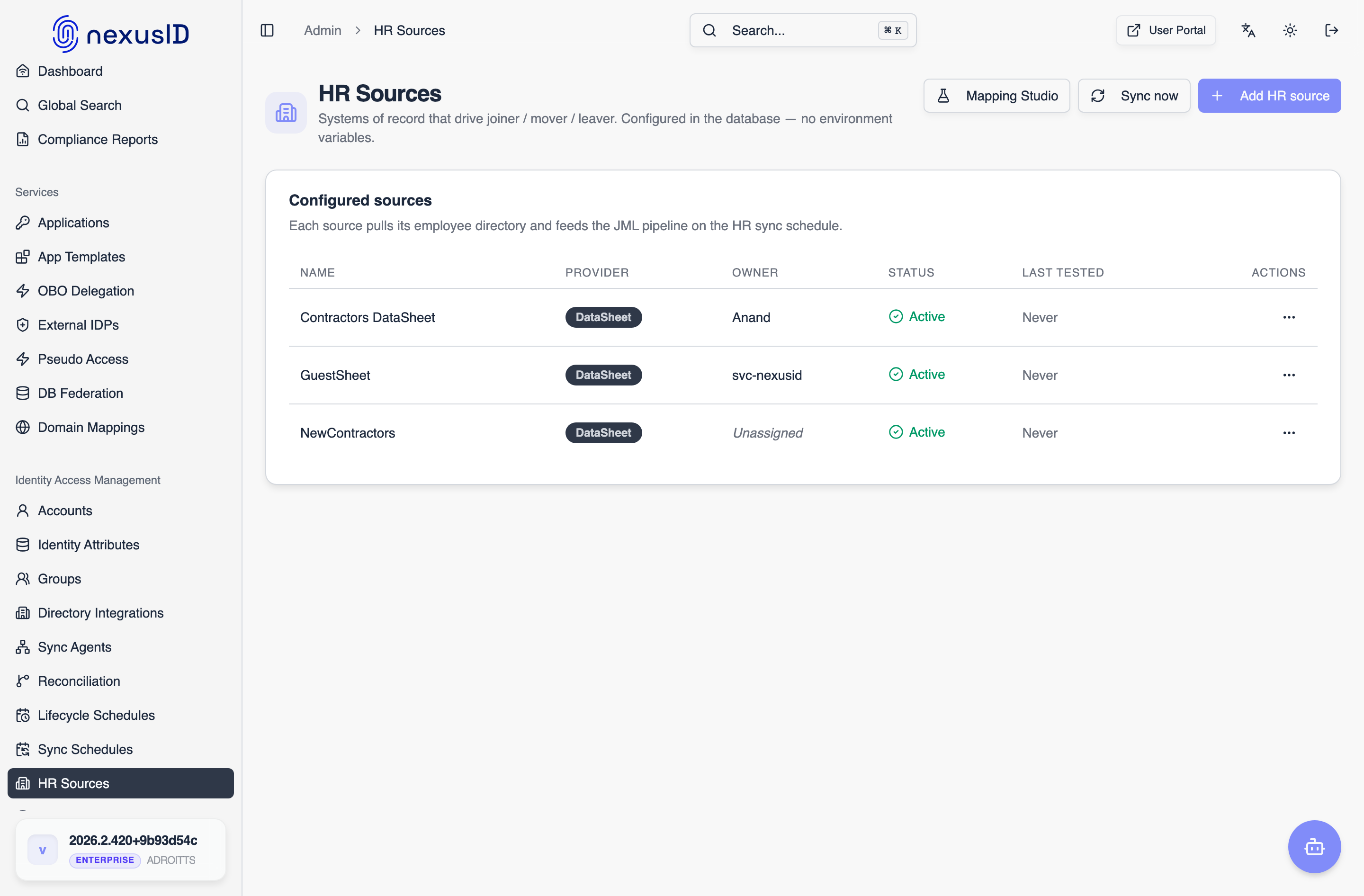
1. Open HR Sources
In the admin console go to HR Sources — this is the list of every system of record feeding nexusID. Click Add HR source.
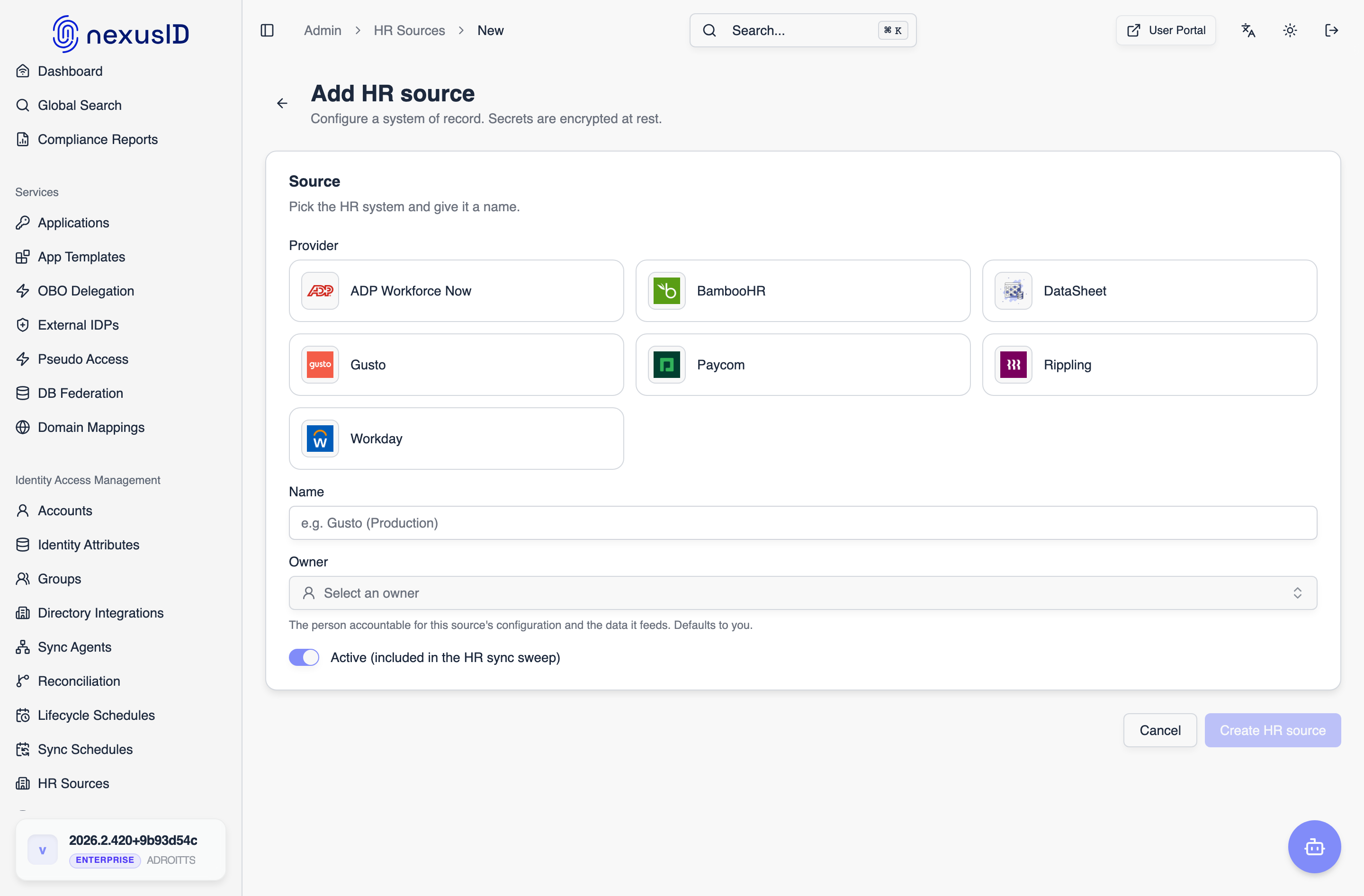
2. Pick the system and name it
Choose your HRIS from the provider tiles, give the connection a friendly name (for example "Gusto (Production)"), assign an owner (the person accountable for it), and leave Active on so it's included in the recurring sync sweep.
3. Enter the connection details
Each provider shows exactly the fields it needs — an API base URL, the credentials, and (for OAuth systems) a client id/secret so nexusID can mint access tokens itself instead of you pasting a short-lived one. All secrets are encrypted at rest. Click Create HR source to save.
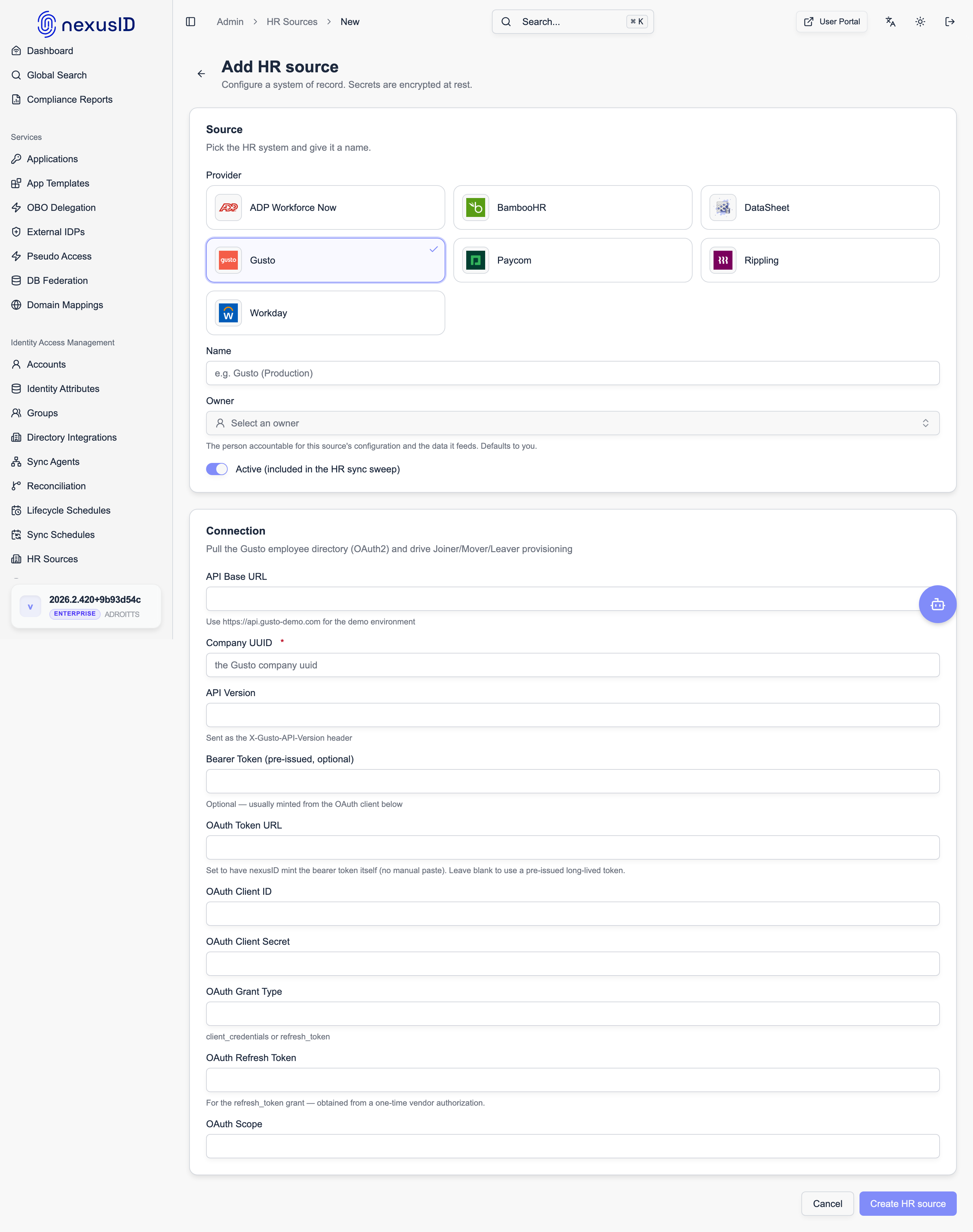
The specific fields differ per system, and where you get each value is covered in that system's setup guide (linked in the table above).
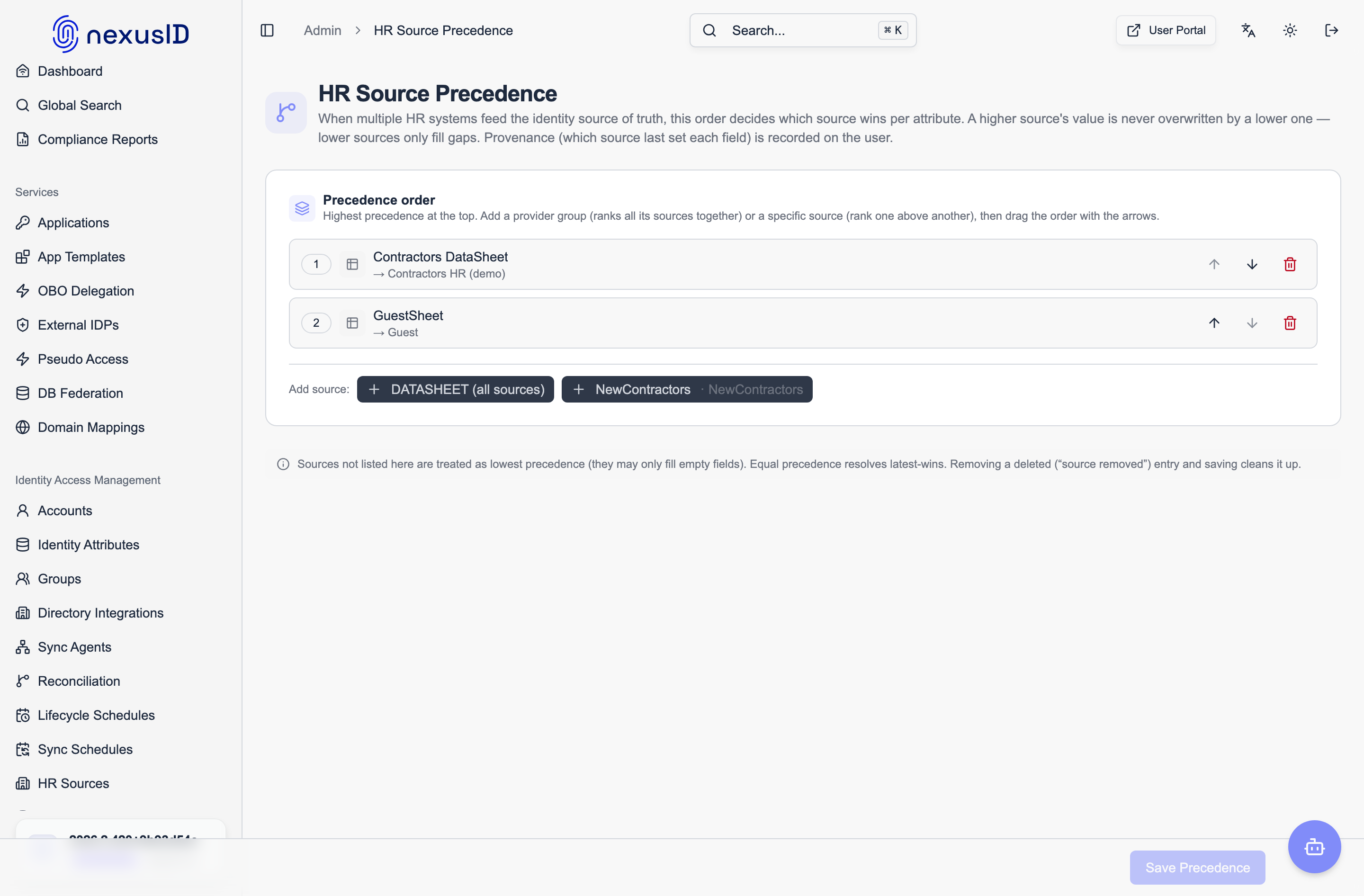
4. If you have more than one source, set precedence
When several sources can feed the same identity, precedence decides which one wins — per attribute. Configure it under HR Source Precedence so, for example, Workday owns job title while a regional system owns the desk phone.
What happens after you connect
Once a source is active, nexusID does the rest on a schedule:
- Matching — incoming HR records are matched to identities by
employeeId. Unmatched records become new accounts (joiners); matched records update the existing identity (movers). - Joiner / Mover / Leaver — a new hire is provisioned downstream (AD, Entra, SCIM targets); a department or manager change re-evaluates group and role membership; a termination deprovisions (soft-delete with a cooldown window).
- Scheduling — every source runs on its own cadence, and hire/termination dates can pre-provision a joiner or offboard a leaver on a future date.
- Provenance & write-back — every attribute records which source set it, and precedence resolves conflicts when two sources disagree.
Related
- HR Sources — the technical configuration reference (auth methods, DB vs. env)
- HR Source Precedence — per-attribute conflict resolution
- Reconciliation — detect and heal drift between the HRIS and downstream targets
- DataSheets — a governed in-product spreadsheet used as an HR source