Remote IDP Sign-In Logs
Console View
Overview
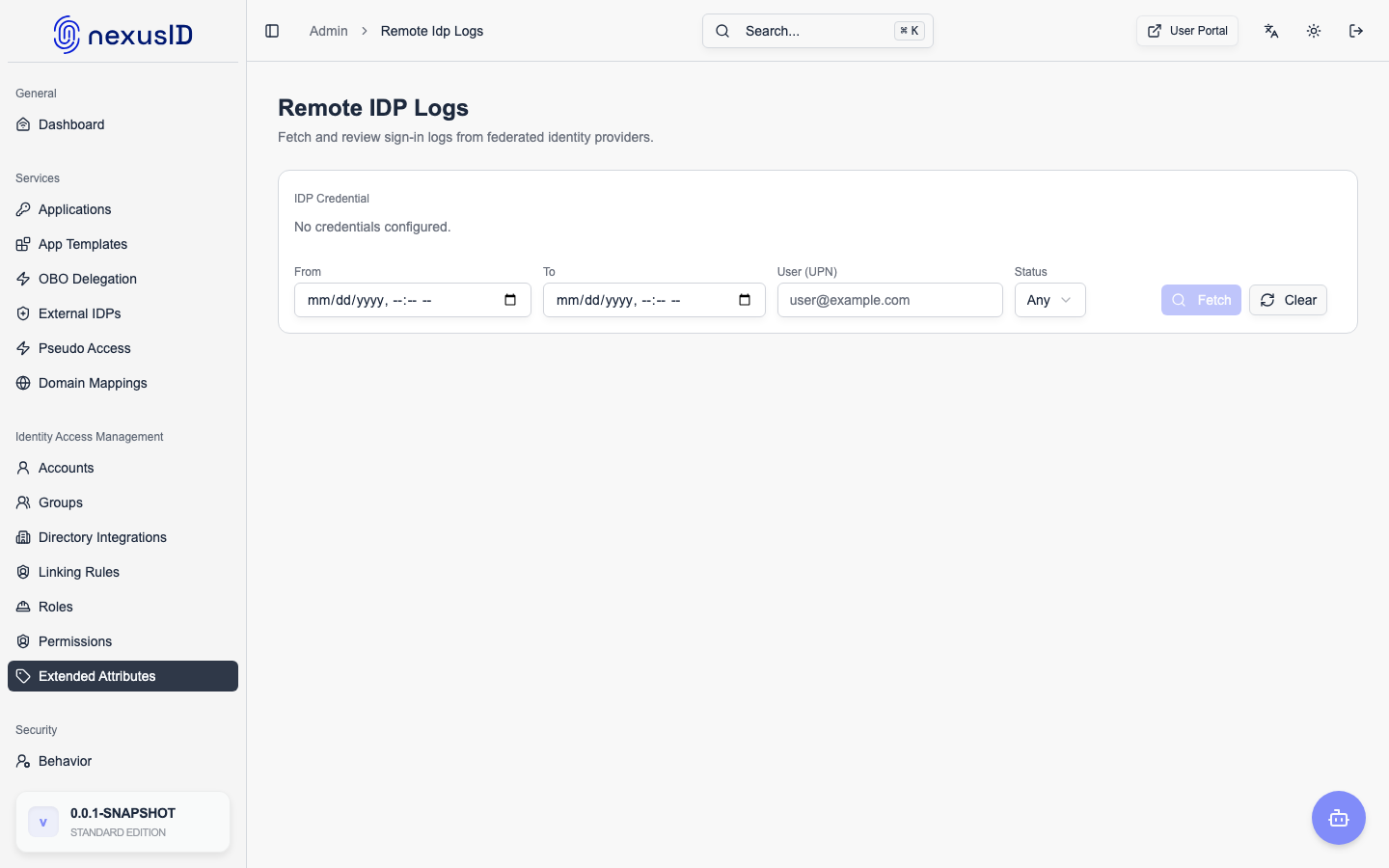
This feature allows administrators to fetch and view sign-in logs directly from federated Identity Providers (IDPs) using their APIs. This provides visibility into authentication events at the source IDP, complementing the broker's own sign-in logs.
Supported IDPs
Currently Implemented
- Azure AD / Microsoft Entra ID - Using Microsoft Graph API
Coming Soon
- Google Workspace (Admin SDK)
- Okta (System Log API)
- Auth0 (Management API)
Architecture
┌─────────────────────┐
│  Admin Dashboard    │
│  (Broker)           │
└──────────┬──────────┘
           │
           │ Fetches logs via API
           ▼
┌─────────────────────┐
│  Federated IDP      │
│  (Azure AD, etc.)   │
│                     │
│  Sign-In Logs  ──┐  │
│  Audit Logs    ──┤  │
│  User Events   ──┘  │
└─────────────────────┘
Components
- IdpApiCredential - Stores encrypted API credentials (Service Principal, API tokens)
- AzureAdLogFetcherService - Fetches logs from Microsoft Graph API
- RemoteIdpSignInLog - Unified log model for display
- Admin Controllers - UI for managing credentials and viewing logs
- Database Migration - V4 adds
idp_api_credentialstable
Setup Guide
Azure AD Service Principal Setup
Step 1: Create App Registration
- Go to Azure Portal → Microsoft Entra ID → App registrations
- Click New registration
- Name:
IDP Broker Log Reader - Supported account types: Accounts in this organizational directory only
- Redirect URI: Leave blank (not needed for service principal)
- Click Register
Step 2: Copy Required Values
After registration:
- Copy Application (client) ID - You'll need this as
Client ID - Copy Directory (tenant) ID - You'll need this as
Tenant ID
Step 3: Create Client Secret
- Go to Certificates & secrets
- Click New client secret
- Description:
IDP Broker Access - Expires: Choose expiration period (recommend 12-24 months)
- Click Add
- IMPORTANT: Copy the secret VALUE immediately (it won't be shown again)
Step 4: Grant API Permissions
- Go to API permissions
- Click Add a permission
- Select Microsoft Graph
- Select Application permissions (not Delegated)
- Add these permissions:
AuditLog.Read.All- Read audit log dataDirectory.Read.All- Read directory data
- Click Grant admin consent for [Your Organization]
- Verify status shows green checkmarks
Step 5: Verify Permissions
Final permissions should look like:
Microsoft Graph
├── AuditLog.Read.All (Application) ✓ Granted
└── Directory.Read.All (Application) ✓ Granted
Configuring in IDP Broker
Step 1: Navigate to API Credentials
- Login to IDP Broker admin dashboard
- Go to IDP API Credentials (new menu item)
- Click Add New Credential
Step 2: Fill in the Form
- IDP Configuration: Select the Azure AD IDP config
- IDP Type: Select
AZURE_AD - Credential Name: e.g., "Production Azure AD API"
- Tenant ID: Paste the Directory (tenant) ID from Step 2
- Client ID: Paste the Application (client) ID from Step 2
- Client Secret: Paste the client secret value from Step 3
- Enabled: Check to enable immediately
Step 3: Test Connection
- Click Save
- On the credentials list page, click Test button
- Should see "✓ Connection test successful!"
- If test fails, verify:
- Client ID, Client Secret, and Tenant ID are correct
- Admin consent was granted for API permissions
- Service Principal has the required permissions
Using Remote IDP Logs
Viewing Logs
- Go to Remote IDP Logs (new menu item)
- Select an IDP API Credential from the dropdown
- Optionally filter by:
- User Principal Name
- Status (Success/Failure)
- Date Range
- Max Results (50-1000)
- Click Fetch Logs
Log Information Displayed
Each log entry shows:
- Date & Time - When the sign-in occurred
- User - Display name and user principal name
- Sign-In Identifier - Email used for sign-in
- Application - Which app the user signed into
- Status - Success/Failure with error code
- IP Address - Where the sign-in originated
- Location - City, state, country
- Device - OS and browser information
Viewing Log Details
Click Details on any log entry to see:
- Full authentication details
- Error codes and failure reasons
- Device compliance status
- Authentication methods used
- Conditional access policies applied
- Raw JSON from the source IDP
API Filters
OData Filter Syntax
The service supports Microsoft Graph OData filters:
# Recent logins (last 24 hours)
createdDateTime ge 2026-01-12T00:00:00Z

# Failed logins only
status/errorCode ne 0

# Specific user
userPrincipalName eq 'user@domain.com'

# Specific application
appId eq 'xxxxxxxx-xxxx-xxxx-xxxx-xxxxxxxxxxxx'

# Combine filters with 'and'
createdDateTime ge 2026-01-12T00:00:00Z and status/errorCode ne 0
Programmatic Access
Fetch logs via API endpoint:
GET /admin/remote-idp-logs/api/fetch?credentialId={id}&startDate={iso8601}&status=failure
Returns JSON:
{
  "success": true,
  "logs": [
    {
      "id": "...",
      "date": "2026-01-13T14:26:05Z",
      "userPrincipalName": "user@domain.com",
      "status": "Failure (50126)",
      "failureReason": "Invalid username or password"
    }
  ],
  "total": 15
}
Common Use Cases
1. Troubleshooting Failed Authentications
Scenario: User reports they can't sign in
Steps:
- Go to Remote IDP Logs
- Filter by user's email
- Filter by Status = Failure
- View error codes and failure reasons
- Check if it's:
- Wrong password (50126)
- MFA issue (50074, 50076)
- Conditional access blocking (53003)
- Account disabled/locked
2. Auditing Sign-In Activity
Scenario: Monthly security audit required
Steps:
- Select date range for the month
- Fetch all logs (up to 1000 per request)
- Review success/failure ratios
- Identify unusual locations or devices
- Export raw JSON for SIEM ingestion
3. Comparing Broker vs Source IDP Logs
Scenario: User authenticated at source IDP but broker failed
Steps:
- Check broker's sign-in logs:
/admin/signin-logs - Check remote IDP logs:
/admin/remote-idp-logs - Match by:
- User email
- Timestamp (within same minute)
- Correlation ID (if available)
- Identify where the flow broke
4. Monitoring Conditional Access Policies
Scenario: New conditional access policy causing issues
Steps:
- Filter logs by date (after policy deployment)
- Filter by Status = Failure
- Look for error code 53003 (blocked by conditional access)
- Review which users/devices are affected
- Adjust policy or whitelist broker IPs
Security & Compliance
Data Encryption
- Client IDs and Client Secrets are encrypted using AES-256-GCM
- Encryption key stored in
SECRET_ENCRYPTION_KEYenvironment variable - Keys never exposed in logs or API responses
Access Control
- Only users with
ROLE_ADMINcan access remote IDP logs - Admin actions are logged in audit logs
- Last sync time and status tracked per credential
Data Retention
- Logs are fetched on-demand, not stored in broker's database
- Each fetch is limited to 1000 records (Microsoft Graph limit)
- For long-term retention, use Microsoft's native audit log retention or export to SIEM
Troubleshooting
"Connection test failed" Error
Possible Causes:
- Invalid Client ID, Client Secret, or Tenant ID
- Admin consent not granted
- Service Principal doesn't have required permissions
- Tenant ID doesn't match the IDP configuration
Solutions:
- Verify credentials in Azure Portal
- Re-grant admin consent for API permissions
- Wait 5-10 minutes after creating Service Principal (propagation delay)
- Check broker logs for detailed error messages
"No logs found" Result
Possible Causes:
- No sign-in events in the specified time range
- Filters too restrictive
- IDP's audit log retention period expired
- Service Principal has permission but no data available yet
Solutions:
- Widen date range
- Remove filters and search all logs
- Check Microsoft Entra ID sign-in logs in Azure Portal directly
- Verify the IDP tenant has active users signing in
"Error Code 50126" in Logs
Meaning: Invalid username or password
Common Reasons:
- User entered wrong password
- User account password expired
- Account disabled or locked
- Username doesn't exist
Action: Have user reset password or unlock account
"Error Code 53003" in Logs
Meaning: Blocked by conditional access policy
Common Reasons:
- User's location not in allowed locations
- Device not compliant or managed
- MFA not satisfied
- Application not allowed
Action: Review conditional access policies in Azure Portal
API Reference
Microsoft Graph API Used
GET https://graph.microsoft.com/v1.0/auditLogs/signIns
Query Parameters:
$top- Max records (1-1000, default 100)$skip- Pagination offset$filter- OData filter expression$orderby- Sort order (default:createdDateTime desc)
Required Permissions:
AuditLog.Read.All(Application)Directory.Read.All(Application)
Documentation: https://learn.microsoft.com/en-us/graph/api/signin-list
Broker API Endpoints
# Admin UI
GET  /admin/idp-api-credentials              # List credentials
GET  /admin/idp-api-credentials/new          # New credential form
POST /admin/idp-api-credentials/create       # Create credential
GET  /admin/idp-api-credentials/{id}/edit    # Edit credential form
POST /admin/idp-api-credentials/{id}/update  # Update credential
POST /admin/idp-api-credentials/{id}/delete  # Delete credential
POST /admin/idp-api-credentials/{id}/test    # Test connection

GET  /admin/remote-idp-logs                  # View logs UI
GET  /admin/remote-idp-logs/detail           # Log detail view

# API (JSON)
GET  /admin/remote-idp-logs/api/fetch        # Fetch logs as JSON
Future Enhancements
Planned Features
- Scheduled Log Sync - Automatically fetch and store logs periodically
- Alerting - Email/Slack alerts on failed sign-ins or anomalies
- SIEM Integration - Export to Splunk, ElasticSearch, Azure Sentinel
- Google Workspace Support - Fetch logs from Google Admin SDK
- Okta Support - Fetch logs from Okta System Log API
- Aggregated Dashboard - Combined view of broker + all IDP logs
- User Timeline - See complete authentication journey for a user
Contributing
To add support for a new IDP type:
- Create model class for the IDP's log format (similar to
AzureAdSignInLog.kt) - Create service class implementing log fetching logic (similar to
AzureAdLogFetcherService.kt) - Add new
IdpTypeenum value - Update admin controllers to handle the new IDP type
- Create UI templates if needed
- Add documentation for setup
Support
For issues or questions:
- Check broker application logs:
logs/application.log - Check sign-in logs:
/admin/signin-logs - Review credential sync status:
/admin/idp-api-credentials - GitHub Issues: https://github.com/adroitts/identix/issues
Related Documentation
- Architecture Overview - Overall broker architecture
- Azure AD Error Codes
- Microsoft Graph API
- Service Principal Best Practices