App Templates
Console View
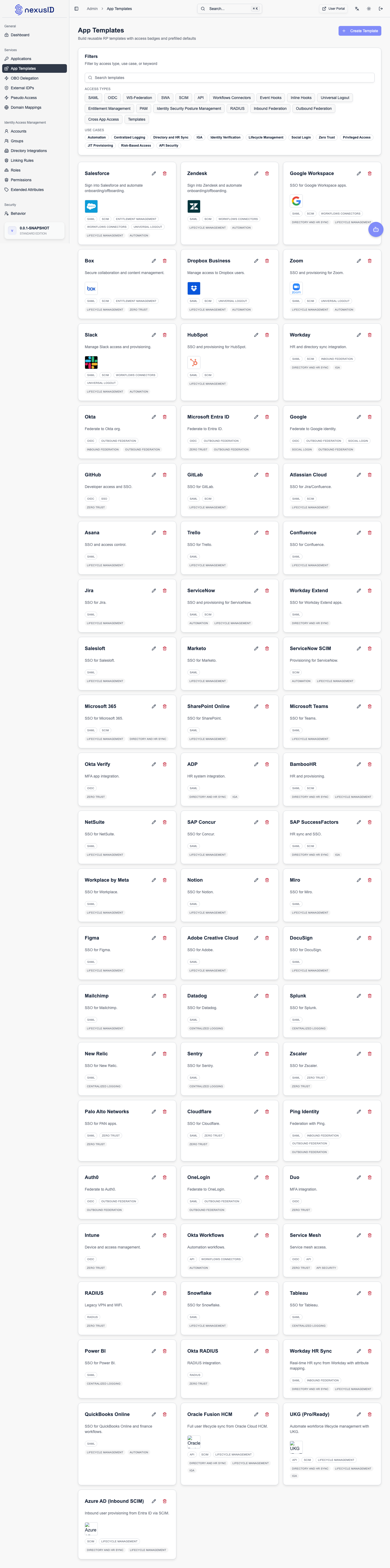
App Templates provide pre-configured settings for popular applications, making it easier to integrate them with Identity Broker.
Overview
Instead of manually configuring every setting for a standard application (like Salesforce, Zoom, or Slack), you can use a template. Templates pre-fill:
- Redirect URIs: Standard patterns for the application.
- Scopes: Recommended scopes for functionality.
- Token Settings: Optimal token lifetimes.
- Logo & Branding: Official icons and branding.
Using a Template
- Navigate to Services > App Templates.
- Browse or search for the application you want to integrate.
- Click Create App.
- Enter the specific details for your instance (e.g., your Salesforce domain).
- The system will create a new Application (RP Client) with the correct configuration.